=IIF(Fields!a.value>100, True, False)
--------------------------------------------------------
=IIF(Fields!a.value >=10, "Green", IIF(Fields!a.value >=1, "Blue", "Red"))
values >=10 are green, between 1 & 9 are blue, less than 1 are red
--------------------------------------------------------
=SWITCH(
Fields!a.value >=10, "green",
Fields!a.value >=1, "blue",
Fields!a.value = 1, "yellow",
Fields!a.value <=0, "Red")
>=10 are green, between 1 & 9 blue, =1 yellow, <=0 red
--------------------------------------------------------
SWITCH function finds the first expression that's true. It will not catch errors further along.
IIF function evaluates all parts of the expression.
--------------------------------------------------------
=IIF(Rownumber("scope") Mod 2 = 0, "Khaki", "White")
set "scope" to reset row colours for every group
--------------------------------------------------------
Showing posts with label Switch. Show all posts
Showing posts with label Switch. Show all posts
Wednesday, 8 August 2012

Thursday, 20 August 2009
Switch Function - SSRS
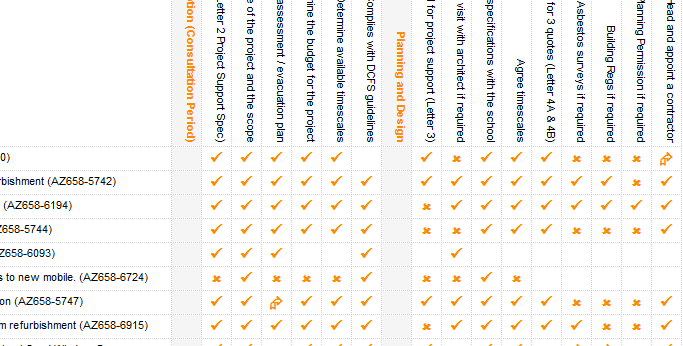
Example use of Switch function (similar to Select Case)
=Switch(Fields!STATUS.Value="CHECKED", chr(252),
Fields!STATUS.Value="DEFERRED", chr(198),
Fields!STATUS.Value="NOT REQD", chr(251))
returns various wingding characters.
chr(252) - Tick
chr(198) - up and right arrow
chr(251) - Cross

=Switch(Fields!STATUS.Value="CHECKED", chr(252),
Fields!STATUS.Value="DEFERRED", chr(198),
Fields!STATUS.Value="NOT REQD", chr(251))
returns various wingding characters.
chr(252) - Tick
chr(198) - up and right arrow
chr(251) - Cross
Subscribe to:
Posts (Atom)